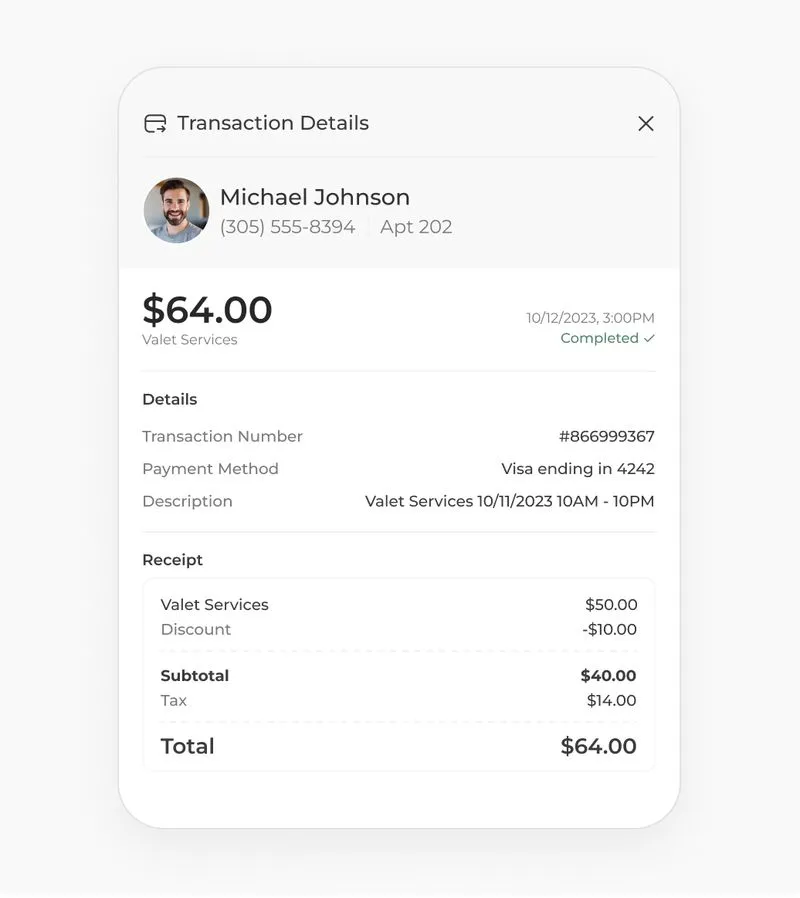
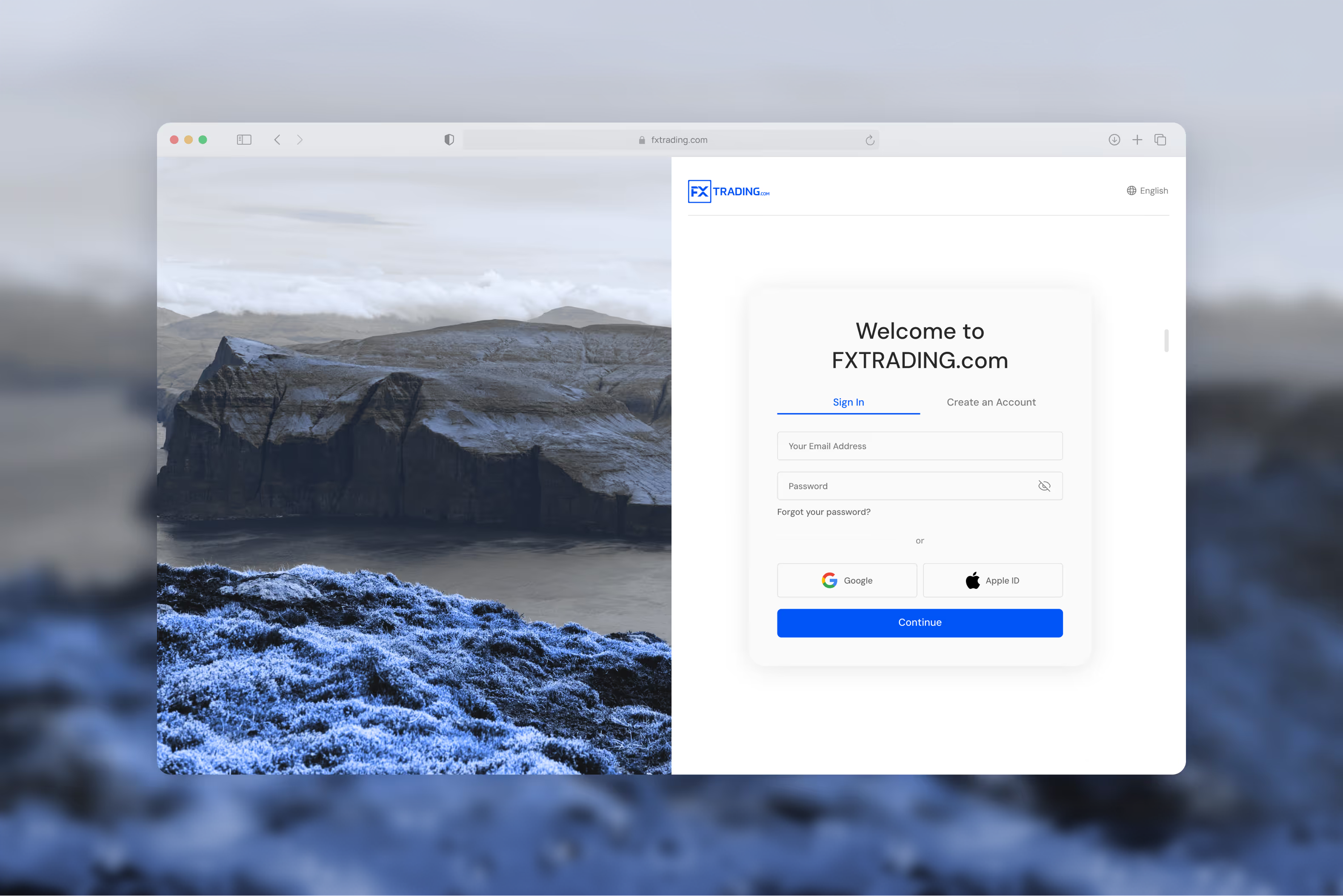
A mobile app and a copy trading dashboard for a leading Australian brokerage making high-density financial data genuinely usable on mobile without losing the depth traders depend on.
FXTrading.com is an Australian brokerage offering retail forex and CFD trading to individual investors — from complete beginners to experienced traders. I was brought in initially as a freelance consultant to solve mobile UX problems. After delivering that work successfully, I was retained to lead two larger projects: the complete mobile platform build, and a copy trading dashboard designed entirely from zero.
.jpg)
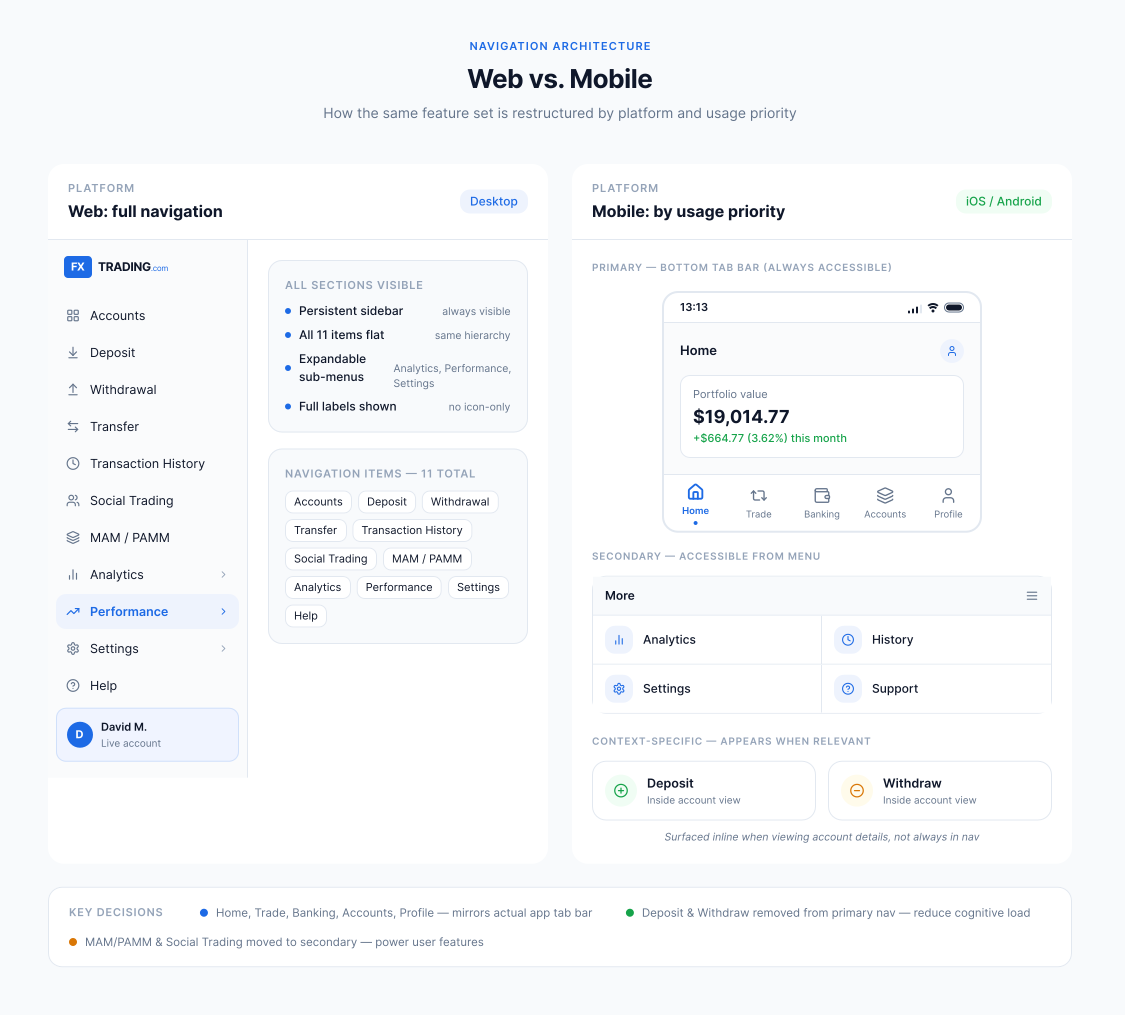
The company had a fully built web trading platform - complex, data-dense, feature-rich. The mobile experience was the problem. The web platform had been compressed onto a phone without rethinking what mobile users actually needed: multiple data panels, real-time charts, complex navigation, and detailed portfolio views all visible at once. The result was overwhelming, difficult to navigate, and not suited to how people actually use a trading app on the move.
The core challenge: take a platform with this level of data complexity and make it genuinely usable on mobile without removing the functionality traders depend on.
.avif)
.avif)
.avif)
.avif)
.avif)
.avif)
.avif)
The most persistent challenge across both projects was data density, how to show real-time financial data clearly on a small screen without losing the information traders depend on. Financial data is inherently complex: P&L figures, open positions, trade history, market data, percentage changes, charts - each piece matters, and removing any of it would reduce the product's usefulness. The solution wasn't to show less; it was to establish clear visual hierarchy so traders could scan the most important information first and drill down when they needed detail.
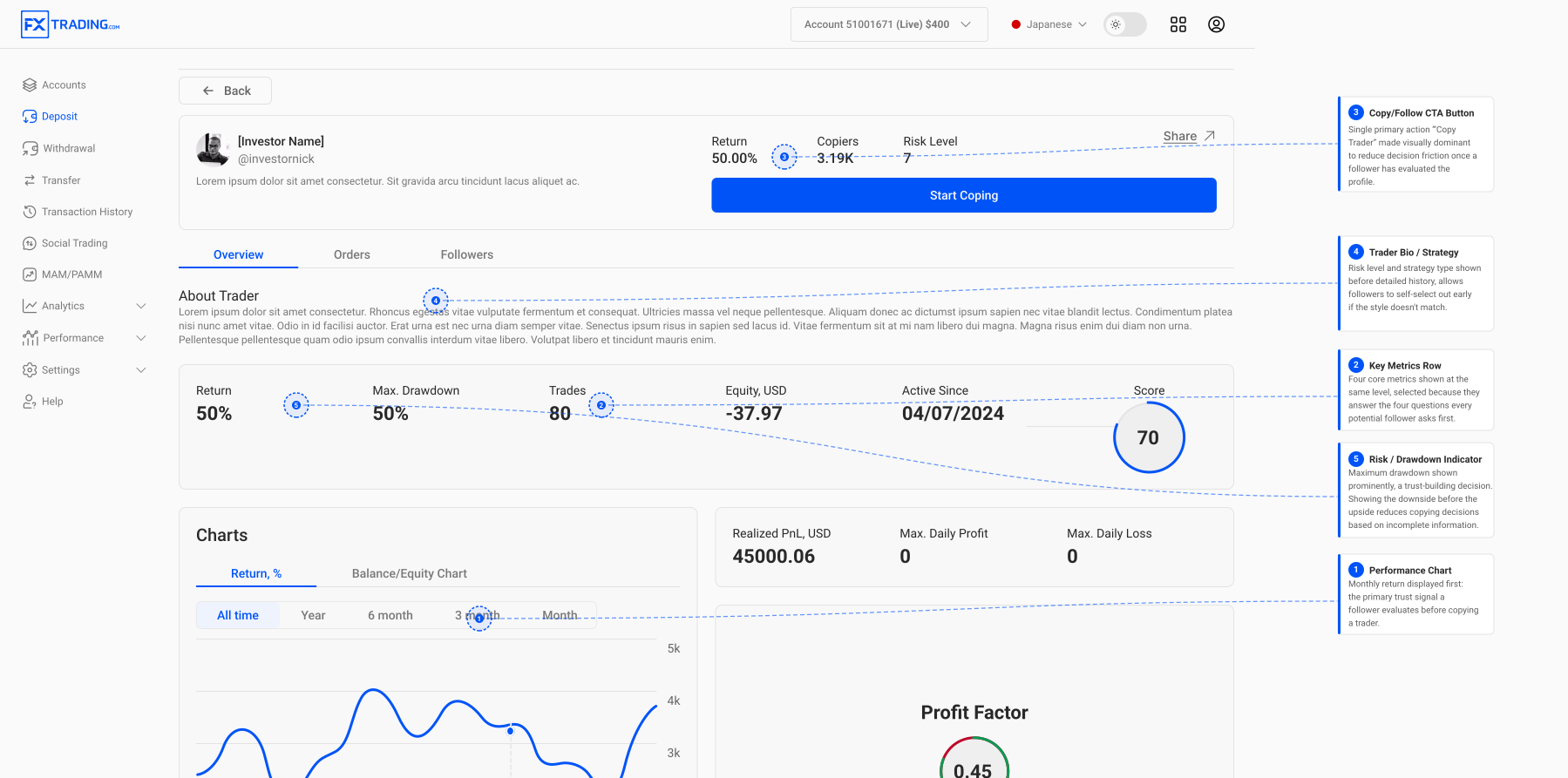
For the copy trading dashboard specifically, I designed trader profile pages that needed to communicate performance credibly and at a glance because followers make actual financial decisions based on what they read there. The IA of those profiles had to build trust while remaining immediately scannable.
.avif)
.avif)
.avif)
.avif)
.avif)
.jpg)
.avif)
.jpg)
.jpg)
.jpg)
.jpg)
.jpg)
.jpg)
.jpg)
.jpg)
A legally binding eSignature platform designed from zero: competitive analysis, design system, every screen, and complete developer documentation.
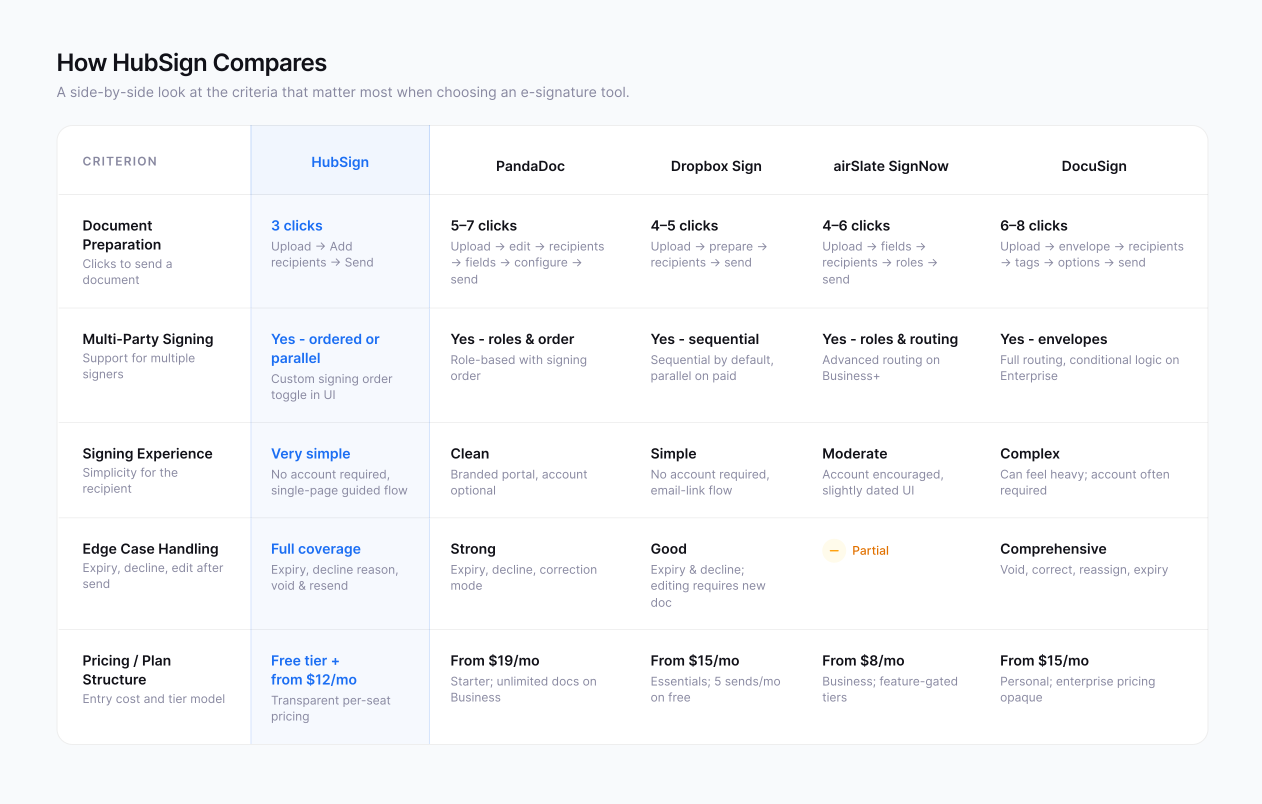
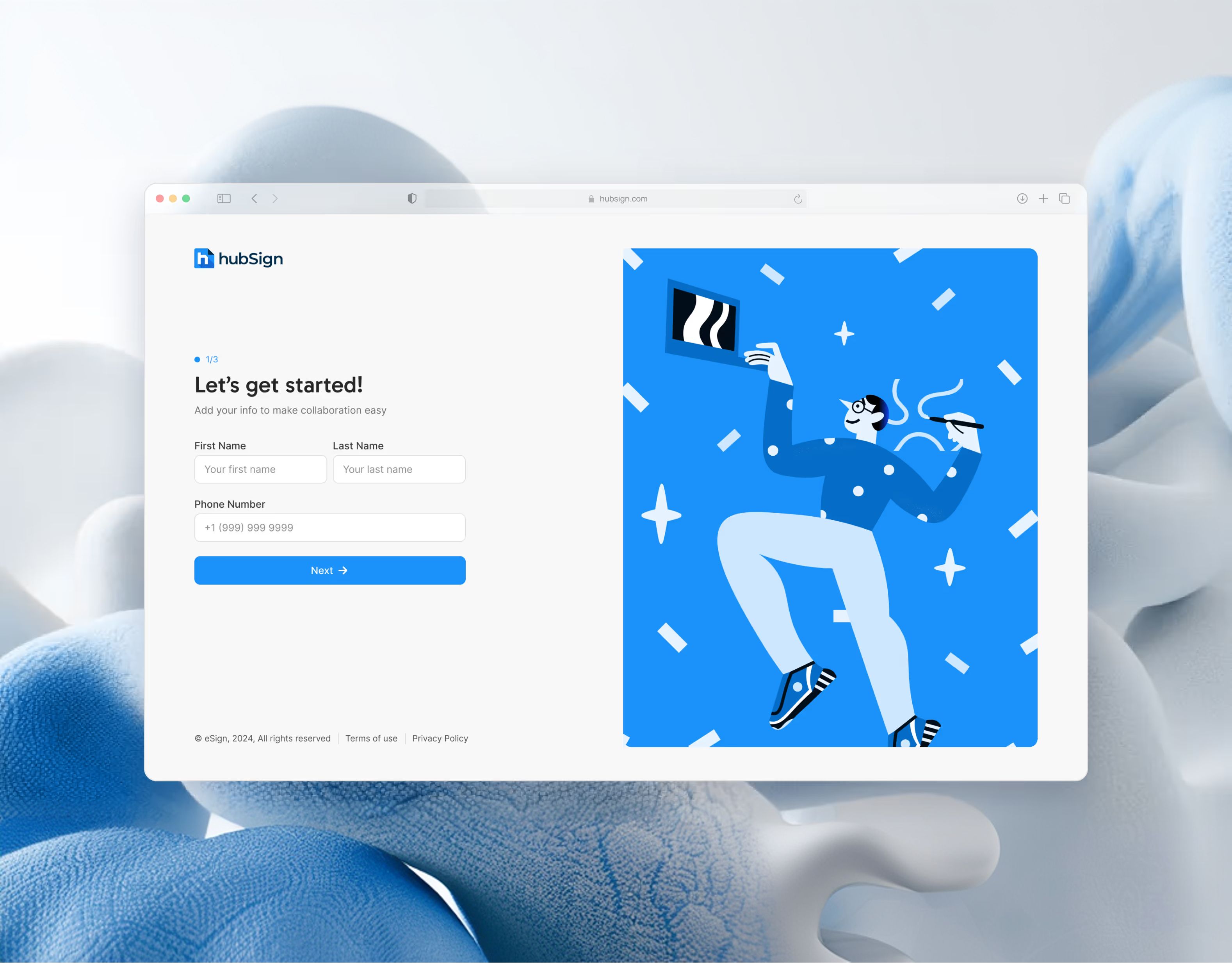
HubSign is a legally binding eSignature platform, a tool for businesses and individuals to prepare, send, and sign documents digitally. I designed the entire product from zero: competitive analysis, design system, every screen, and complete developer documentation.
Unlike ElevateOS, where I was joining an existing product with existing problems, HubSign gave me something rare: a clean slate and the ability to make every decision intentionally from day one.

eSignature sounds simple. The product is not. A document signing process involves multiple parties with different roles: the person preparing and sending the document, each person asked to sign it, and the platform managing the legal validity of every signature. Each party needs a different interface, different permissions, and a different set of actions and all of it needs to feel simple for every user, regardless of the complexity underneath.
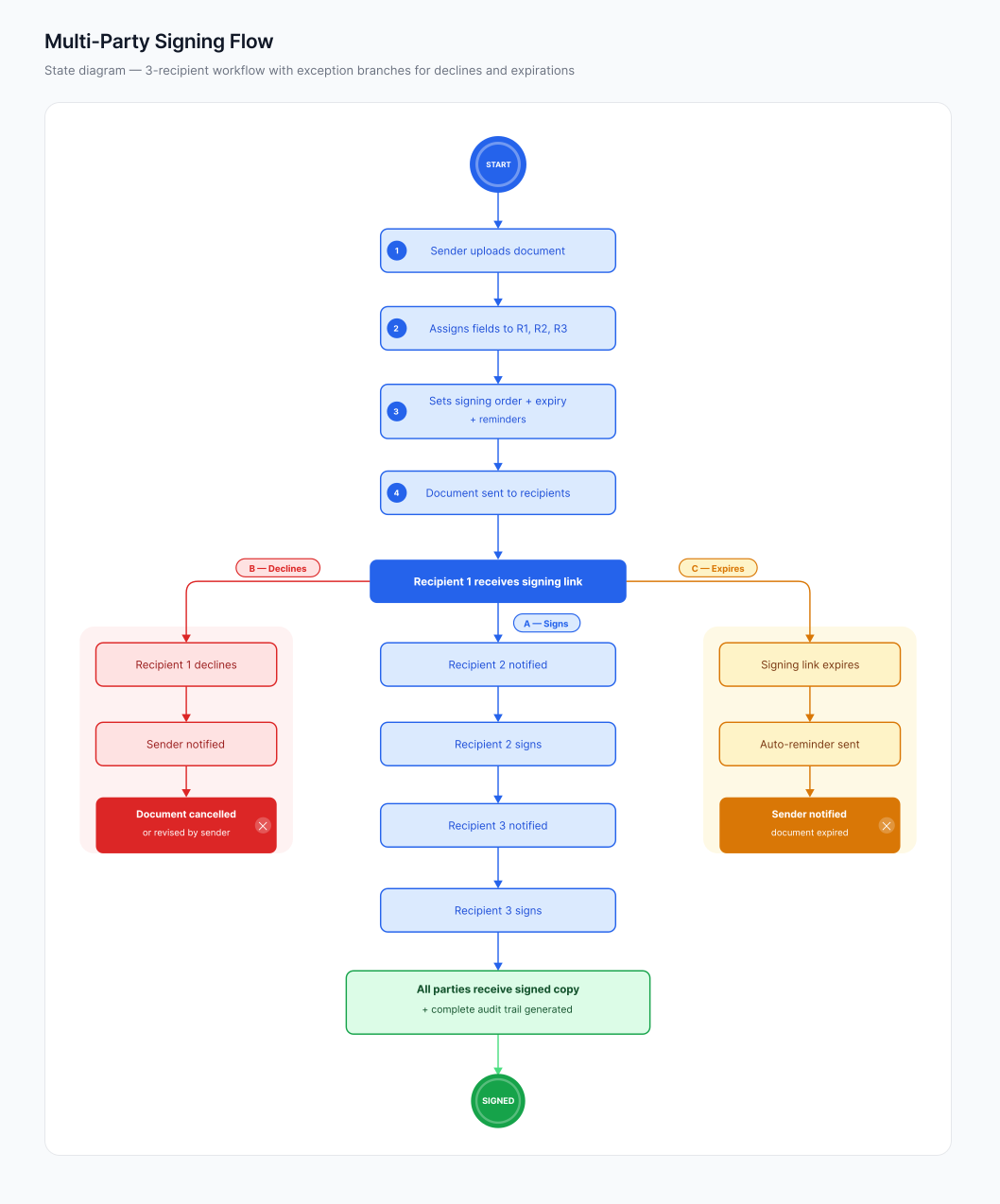
The goal: design a product where someone could upload a document, assign signature fields up to three recipients, set a signing order, and send it, in as few steps as possible. And where each recipient could receive that document, understand exactly what to do, and sign it without any instructions.
.avif)
.avif)
.avif)
.avif)
.avif)
The most complex challenge was the multi-party signing flow what happens when a document requires signatures from multiple people, in a specific order, with automated reminders and expiry dates in play. I had to design three distinct experiences simultaneously:
The result is an experience that feels effortless on the surface because all the complexity was resolved at the design stage.
.avif)
.avif)
.avif)
.avif)
.avif)
The operations dashboard property managers use to run their buildings day to day, the manager-facing counterpart to the Resident App, owned simultaneously as the sole designer.
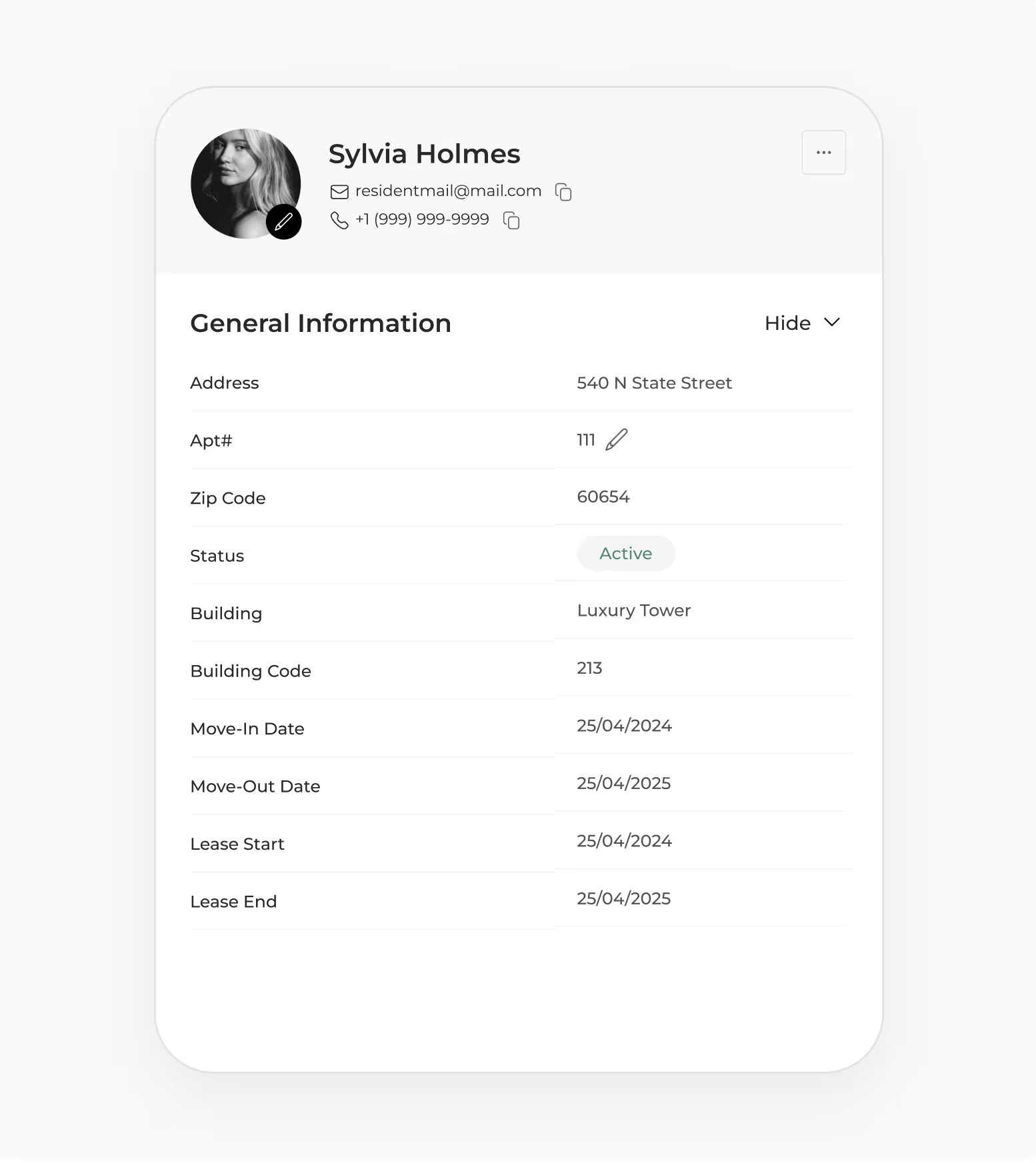
While the Resident App was the tenant-facing product, the Property Hub was the other side of ElevateOS - the operations dashboard used by property managers to run their buildings day to day. I owned the design of both products simultaneously as the sole designer on the team.
Where the Resident App was about simplicity and findability for residents, the Property Hub was a different problem: giving managers real-time clarity over a large, growing, increasingly complex operational dataset without overwhelming them.
.avif)
The Property Hub started as a relatively simple booking calendar: a view for amenity reservations and service requests in one place. But as ElevateOS grew and added features, the platform kept absorbing more operational data into that same interface.
By the time I took it on seriously, the dashboard was trying to show everything at once: amenity bookings, maintenance requests, events, resident profiles, integrations, transactions, messaging, and analytics. The calendar (the central operational view) had become the catch-all for the entire platform. It was breaking under the weight.
At the same time, the design files had diverged from the live product. What existed in Figma and what had been built were no longer the same thing making it nearly impossible to understand where the product was or plan where it needed to go.

.avif)
.avif)
.avif)
The central challenge was the calendar which had grown from a simple scheduling tool into the most complex screen in the entire platform. It was simultaneously showing amenity bookings, maintenance status, event schedules, resident requests, staff shifts, and features that hadn't even fully shipped. Managers were losing track of what needed their attention. Density had crossed the line from useful to overwhelming.
I catalogued everything the calendar showed, and everything it would need to show as upcoming features shipped. Then I redesigned it, not as a calendar, but as a prioritized daily operations view. The question it needed to answer wasn't "what is scheduled?" but "what do I need to deal with today?" We iterated through multiple versions, validated each with managers in review sessions, and landed on a solution that consolidated the platform's growing complexity without losing any information, just organized around how managers actually worked.
.avif)
.avif)
.avif)
.avif)
.avif)

.avif)
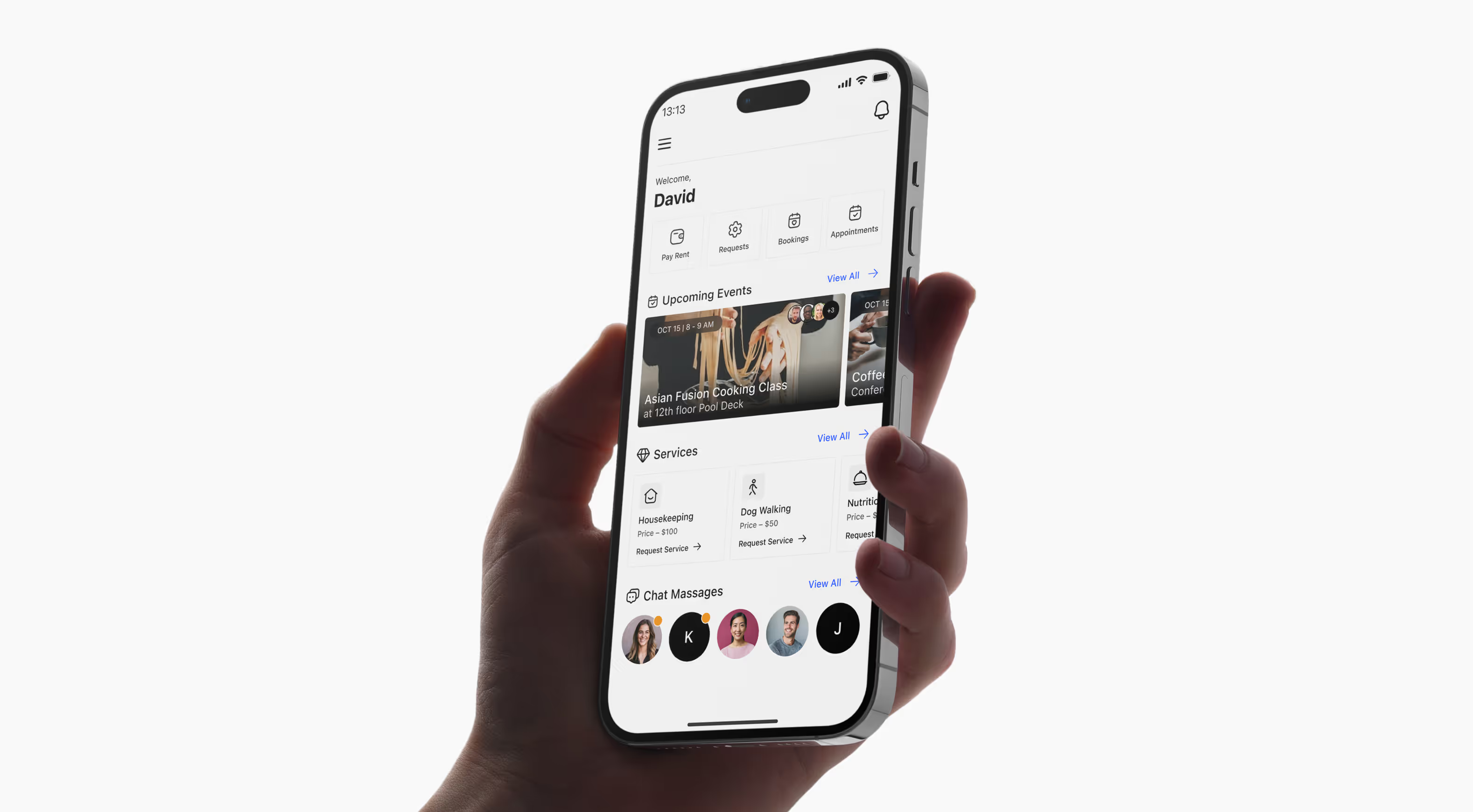
A single mobile platform where residents of multifamily communities manage their entire living experience: rent, amenities, maintenance, events, smart home, and parking. iOS & Android.
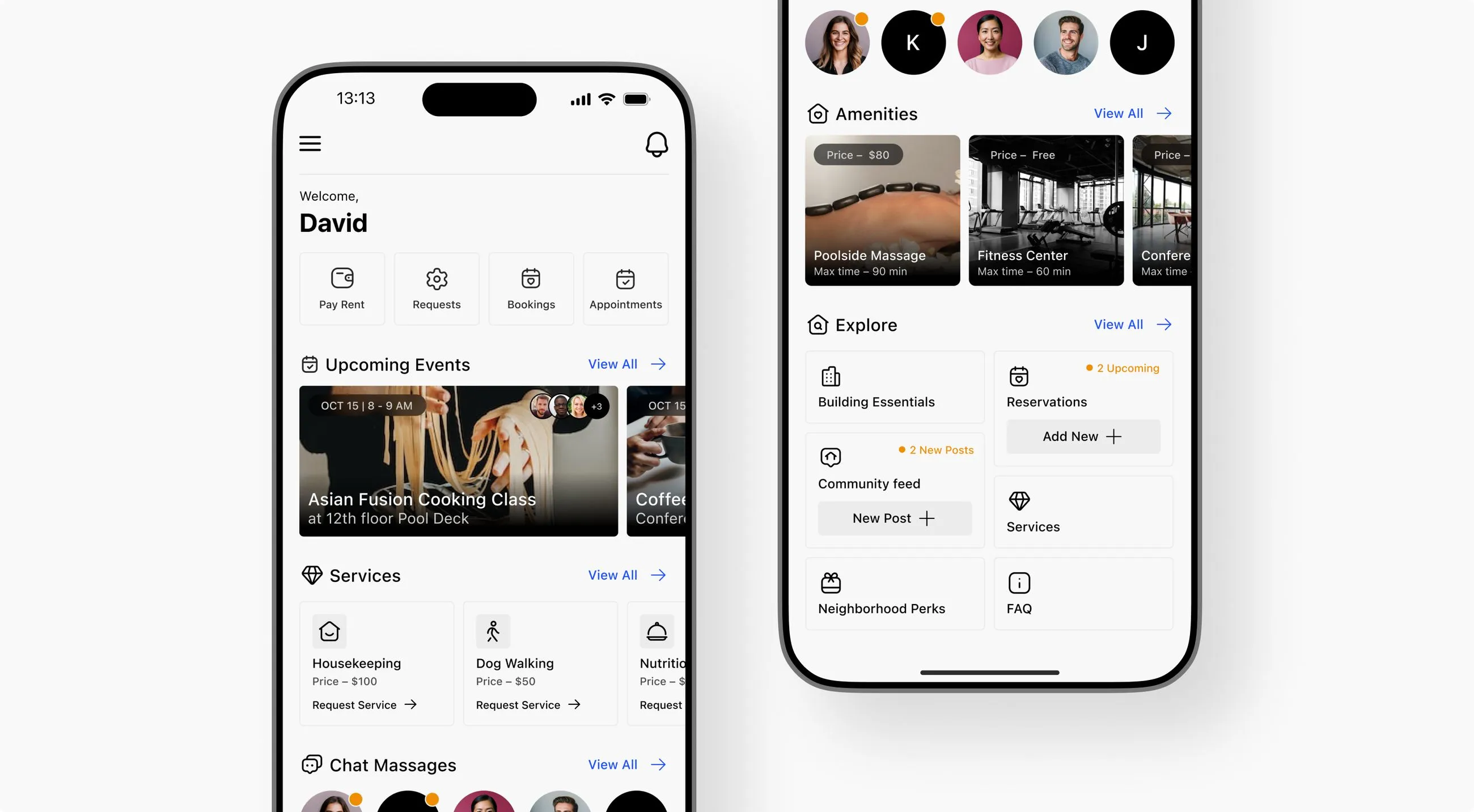
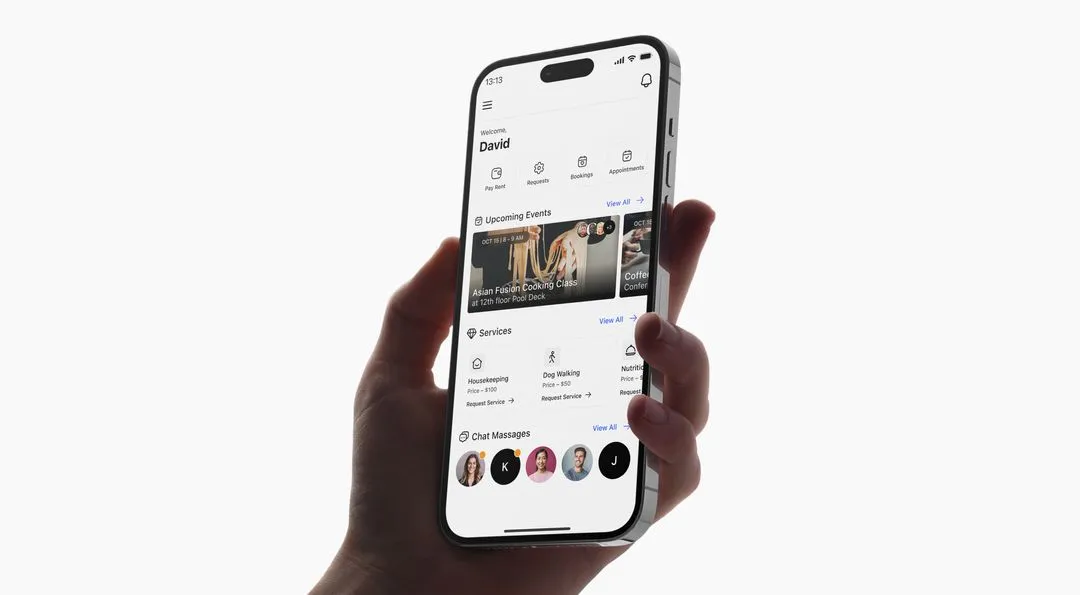
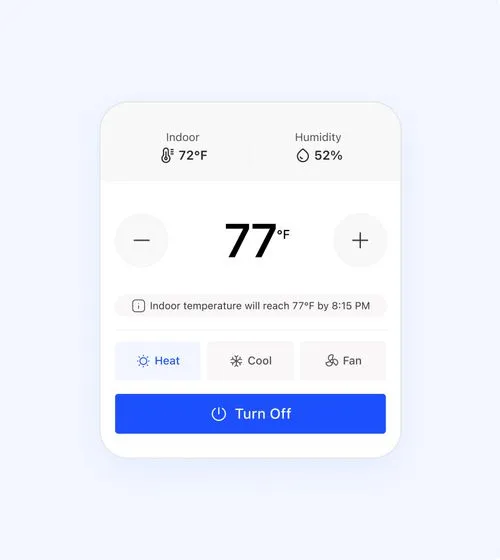
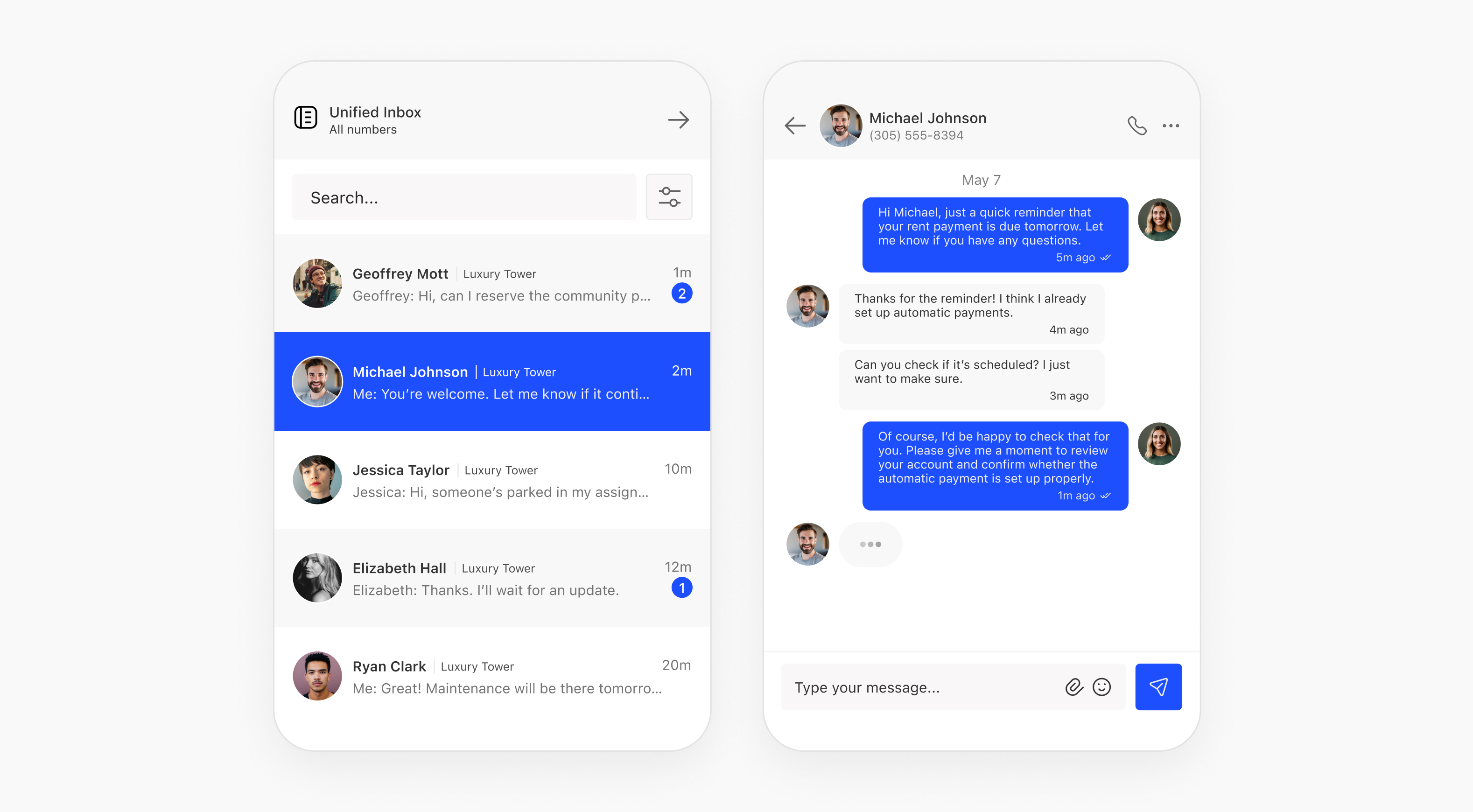
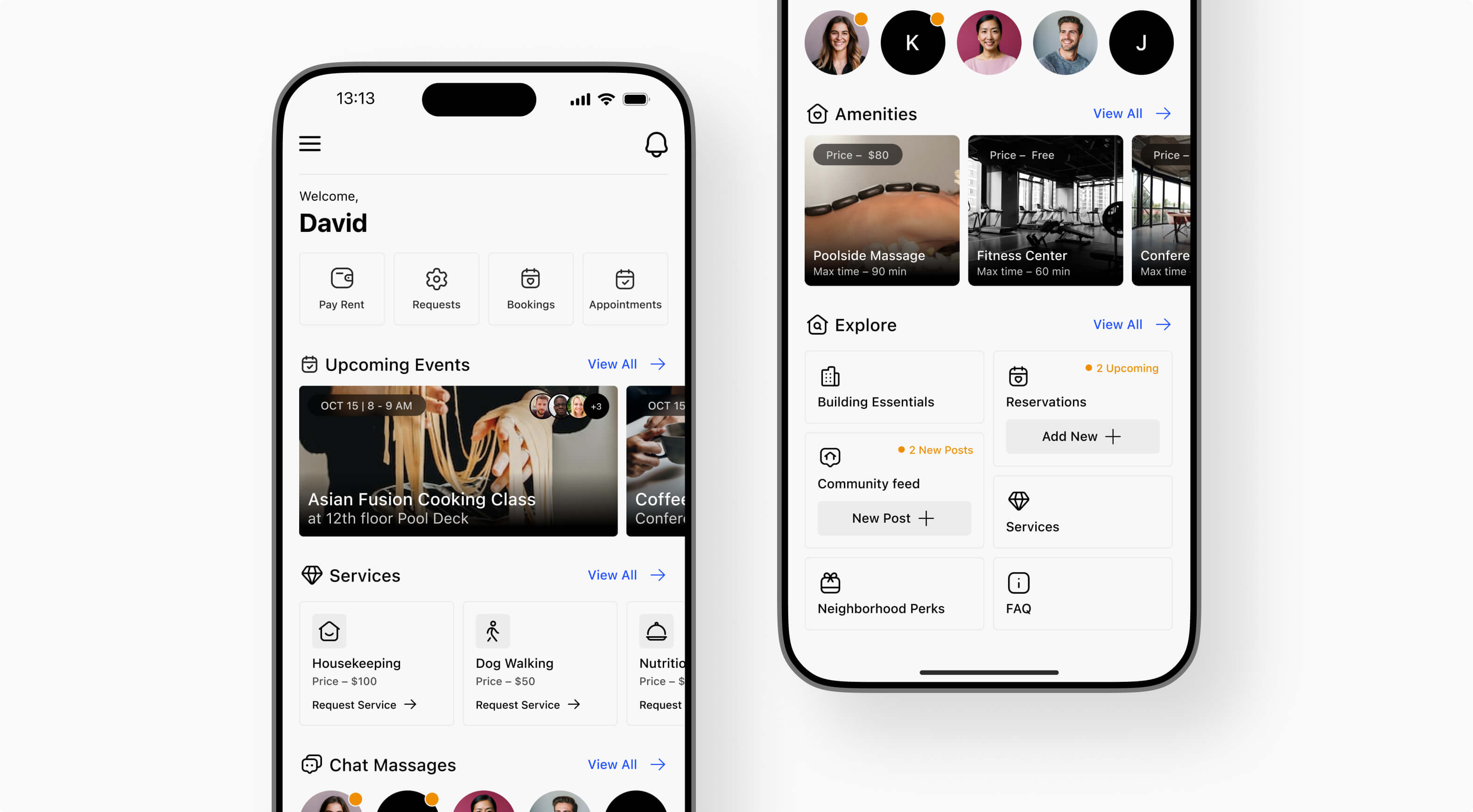
ElevateOS is a PropTech platform for multifamily residential communities across the US. The Unified Resident App is the tenant-facing product: a single mobile platform where residents manage their entire living experience: paying rent, booking amenities, submitting maintenance requests, accessing community events, controlling smart home features, and managing parking.
I joined as the sole designer in 2023, when the platform was managing around 100,000 residential units. By 2025 that number had grown to over 200,000. I was the designer supporting the entire product journey.

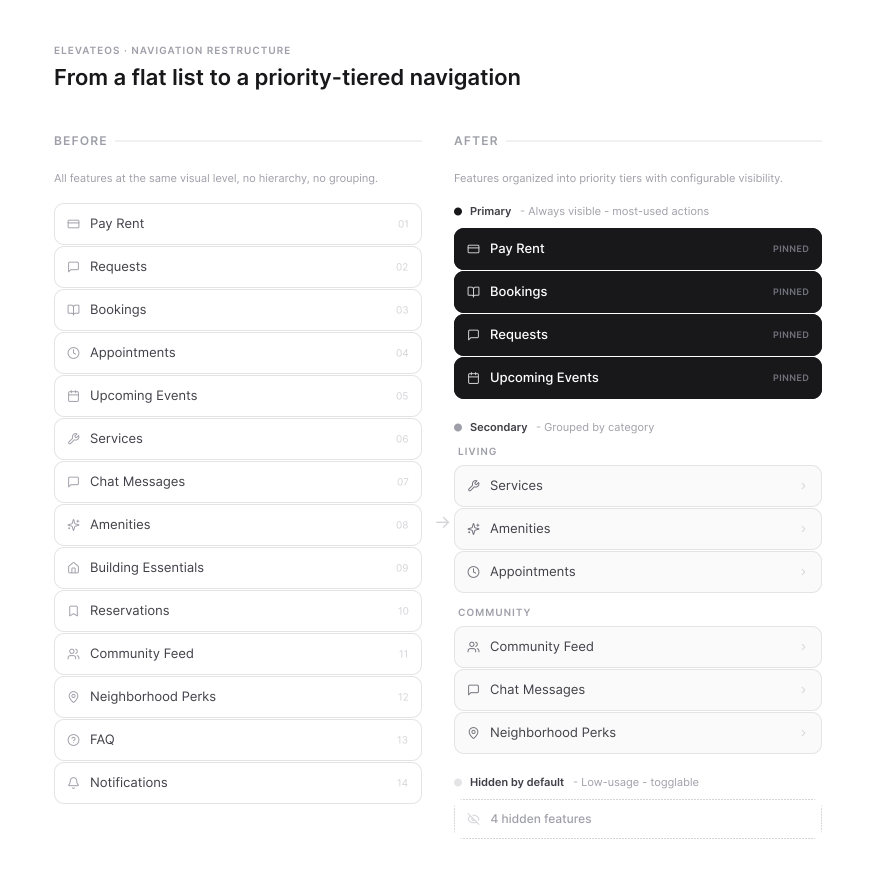
The app served dozens of different use cases with no coherent structure. Rent payments, amenity booking, maintenance, community events, smart home controls, parking — all present, with no clear hierarchy between them. Residents were getting lost. Features that mattered most were buried next to features that barely anyone used.
Multiple designers had worked on the product before me, each leaving fragments in different styles. There was no unified design system, no consistent navigation logic, and no shared information architecture. More critically, engineers were waiting on designs before they could build. Design had become the bottleneck slowing the entire team down.


.avif)

The most important decision of the project: rather than one fixed feature set for all communities, I worked with the team to give property managers admin controls to toggle individual features on or off for their community.
A community without a parking facility didn't show residents a parking section. Each installation showed only what was relevant, dramatically reducing visible complexity. A systems-thinking solution: instead of simplifying by removing features, we simplified by making the platform configurable, so every community got a tailored experience.
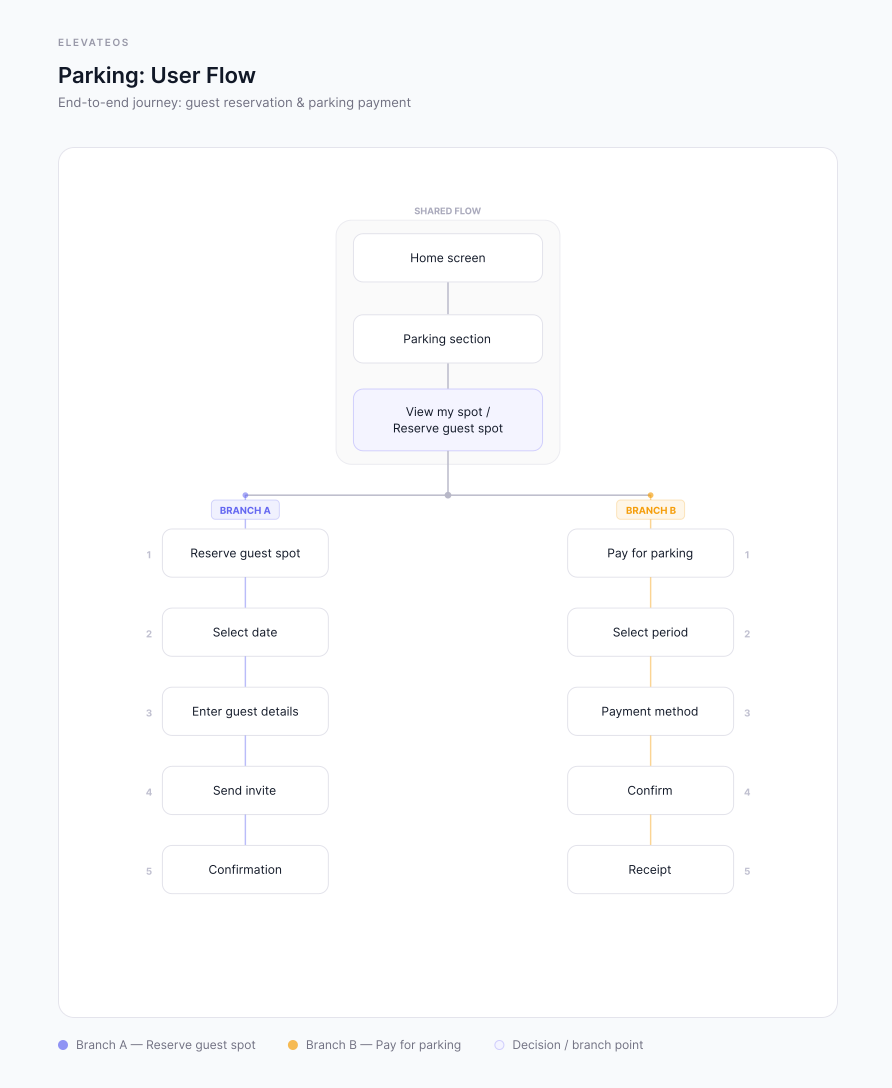
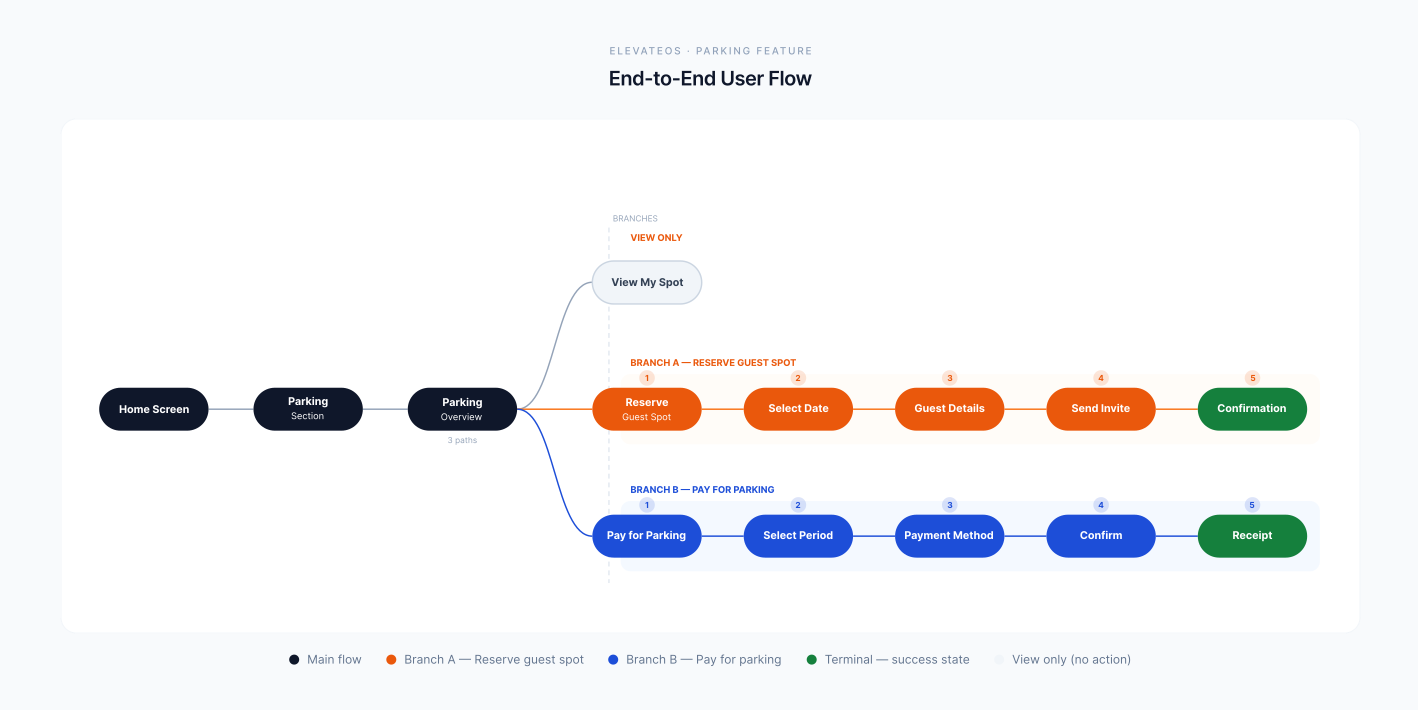
The most complex challenge I tackled independently was the parking system — a feature that didn't exist in any form when the CEO first briefed me. The concept: integrate parking management directly into the resident app. Residents could pay for parking, reserve spots for guests, and invite visitors — all without calling the front office. Simple in concept, complex in execution.
There were no existing design files and no precedent in our system. I started with research — studying how parking apps, booking platforms, and venue management tools handled similar flows — then adapted those patterns to feel native to our existing ecosystem: same components, same language, same interactions residents already knew. A completely new feature that felt immediately familiar. It shipped successfully into production.


I'm open to product designer roles: remote or based in Kraków. If you're building something complex and want a designer who can own the full process, I'd like to hear about it.
I design end to end: from research and information architecture through to hi-fi UI, design systems, and production builds in Webflow and Claude Code.
I work across research, flows, information architecture, wireframes, design systems, hi-fi, prototypes, and developer handoff. I spent two years proving I can carry that at ElevateOS, where I was the sole designer supporting a platform that grew from 100,000 to 200,000+ managed units.
In 2025 I founded Loonis Studio: a Webflow template business with 20+ published templates and 600+ sales in its first year. A different kind of design work that lives at its own URL.
Based in Kraków, Poland. Open to product designer roles, remote or on-site in Kraków.


.avif)
.avif)
.avif)
.avif)
.avif)
.avif)
.avif)
.avif)